🦘 Try OzStream TV free for 24 hours · Plans in AUD from $7.21/mo · 7-day refund promise · Start my trial

Category: IPTV Guides

Plain-English IPTV guides for Australian viewers.

  • Watch Cricket in Australia With IPTV: Tests, BBL and One-Dayers

    Watch Cricket in Australia With IPTV: Tests, BBL and One-Dayers

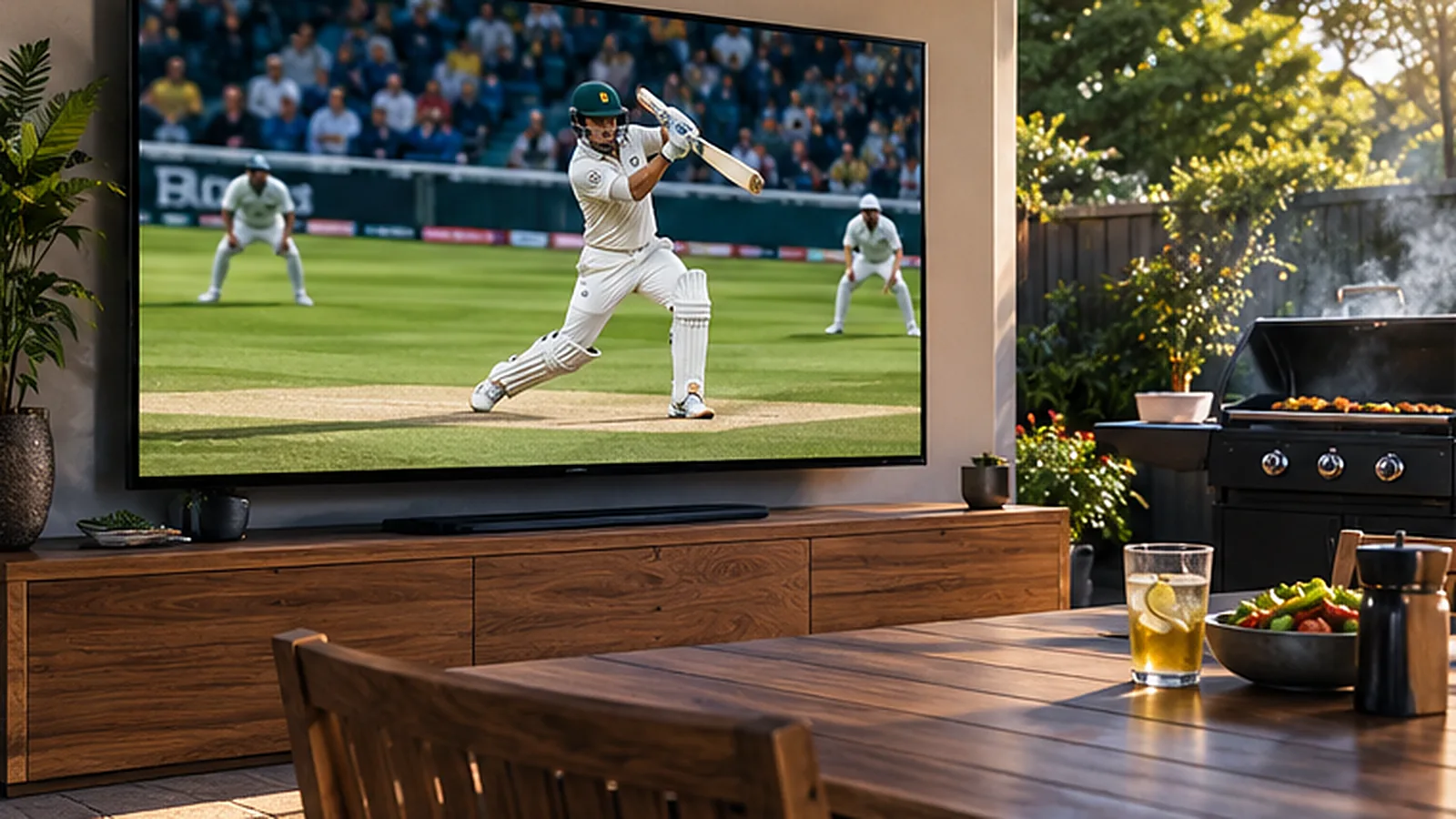
    Summer in Australia means cricket: a Test starting on Boxing Day, Big Bash games under lights and one-day internationals on long weekends. A Test match can run for five days, so being able to follow it on any screen – the lounge TV, a phone at the beach, a laptop at work – makes all the difference. This guide shows you how to watch cricket in Australia with IPTV.

    Why Cricket Suits Streaming So Well

    Cricket is long and flexible. You might catch the first session at home, check the score on your phone at lunch and settle in for the final hour in the evening. IPTV works the same way: one login on every screen, with live channels, a TV guide and an on-demand library together in one app.

    OzStream TV includes 32,000+ live channels and 200,000+ movies and series on every plan, including sport channels from Australia and around the world. That matters for cricket, because many fans also follow overseas tours and leagues in the UK, India, South Africa and the Caribbean. As always, check your must-watch matches during the free 24-hour trial.

    The Main Formats at a Glance

    FormatLengthHow fans usually watch
    Test cricketUp to 5 daysOn and off all day – the lounge TV plus a phone for the score
    One-day internationalsAbout 8 hoursWeekend afternoons and evenings on the big TV
    T20 and the BBLAbout 3 hoursSummer evenings, often with friends
    Overseas toursVariesLate nights or early mornings because of time zones

    What You Need

    • An IPTV plan – from $50 for 3 months in AUD (see pricing).
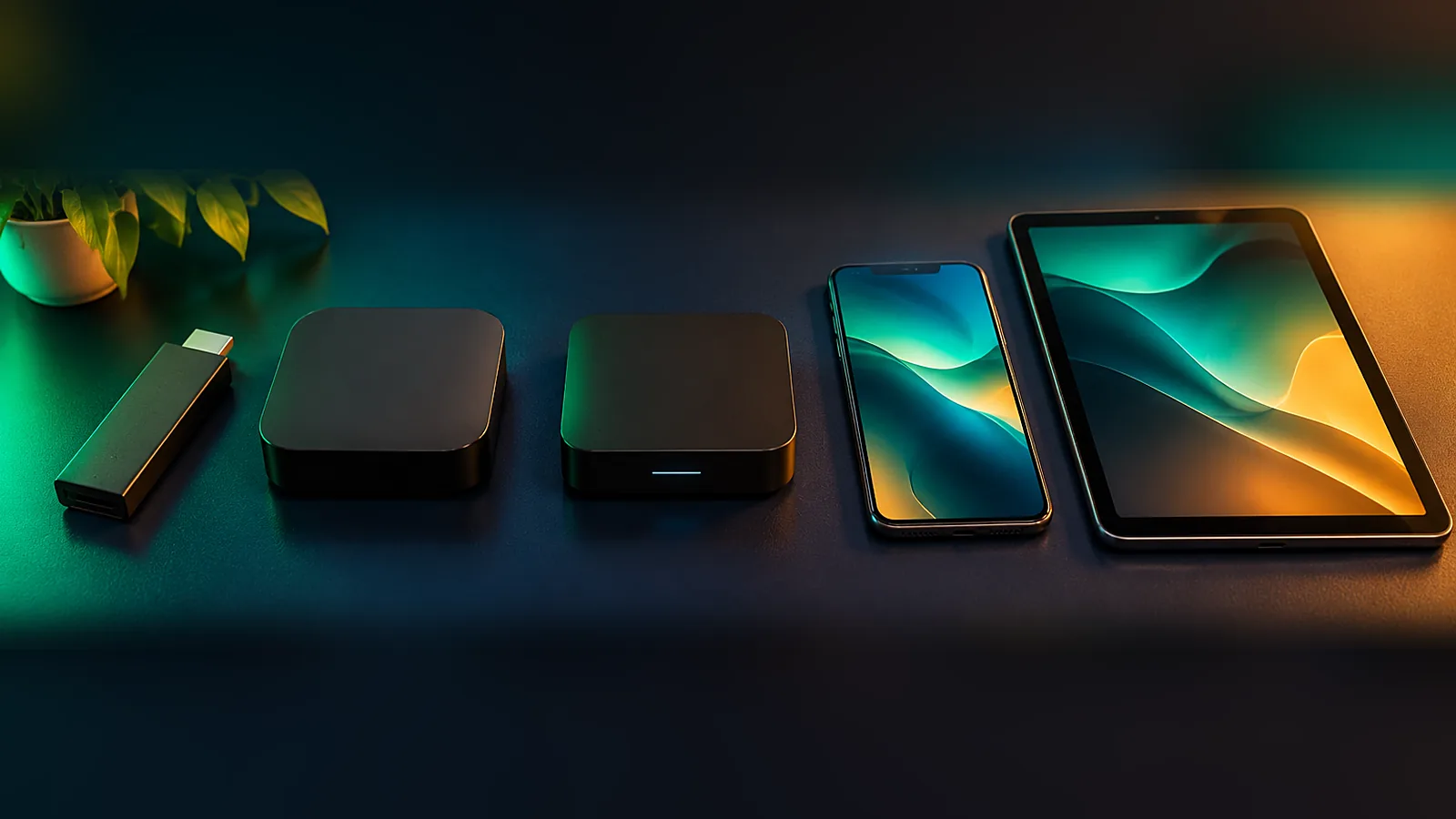
    • A device – Smart TV, Fire TV Stick, Android TV, Apple TV, phone, tablet or laptop.
    • A player app – we tell you which one suits your device.
    • A steady connection – NBN 25 for HD, NBN 50 or more for 4K. See our NBN speed guide.

    Watching Overseas Tours at Odd Hours

    When Australia tours England, the Caribbean or India, play often starts late at night or early in the morning here. A few habits help:

    Tour locationTypical start time (AEST/AEDT)Tip
    India, Sri LankaMid-afternoonWatch the first session on a phone at work
    South AfricaEvening to late nightGreat for evening viewing on the big TV
    EnglandLate nightWatch the first session, then check highlights in the morning
    West IndiesOvernight to early morningSet an alarm for the final session
    New ZealandMorningUsually easy to follow live

    Times vary with daylight saving, so always check the TV guide in the app.

    Best Devices for Long Days of Cricket

    DeviceWhy it works for cricket
    Smart TV or Fire TV StickBig-screen viewing for the main sessions – see the Firestick guide
    TabletWatch in the kitchen or out on the deck
    PhoneFollow the last few overs from anywhere
    LaptopKeep play in a corner of the screen while you work

    Compare more options in best IPTV devices in Australia.

    Tips for a Smooth Stream All Day

    • Use Ethernet for the main TV if you can, or 5 GHz Wi-Fi close to the modem.
    • Restart your streaming stick once a day during a Test – long sessions can fill the cache.
    • Keep the device ventilated; small sticks behind a TV can get hot in summer.
    • Choose Full HD rather than 4K if your connection is busy.
    • Add your cricket channels to Favourites so you can jump straight to them.

    Getting Ready for the Boxing Day Test

    The Boxing Day Test is a national tradition, and many families have the cricket on all day while the leftovers come out. A little preparation keeps it stress-free. Test the stream on Christmas Eve, update the player app, charge the tablet for the backyard and make sure the main TV is connected by cable or strong Wi-Fi. If relatives are visiting, sign them in on a spare device so the main TV stays on the cricket.

    Hot days are another thing to think about. Streaming sticks and modems can overheat in a closed TV cabinet in an Australian summer, which causes freezing. Leave the cabinet door open or move the modem somewhere with a bit of airflow.

    Which Plan Suits a Cricket Fan?

    If cricket is your main sport, the 3-month plan covers most of the home summer. Many fans pick the 12-month plan instead, because it also carries them through the footy and league season for just $8.33 a month. All plans include the full channel line-up and the same support, so the only real choice is how long you want to be covered.

    Cricket for Multicultural Australia

    Cricket connects many of Australia’s communities, especially families with roots in India, Pakistan, Sri Lanka, England and South Africa. Alongside the sport, OzStream TV includes international channels in many languages. Read more in our guide to international channels in Australia.

    What It Costs

    PlanTotal (AUD)Per month
    3 months – one summer$50$16.67
    6 months$72$12.00
    12 months – cricket and footy seasons$100$8.33
    24 months$173$7.21

    Cricket Streaming FAQ

    Can I watch Test cricket with IPTV in Australia?

    Yes. IPTV gives you live channels over your internet connection, including Australian and international sport. Check the matches you want during the free trial.

    Can I watch the Big Bash on my phone?

    Yes. Install the player app on your phone, sign in with the same login and watch over Wi-Fi or 5G.

    What speed do I need for cricket in 4K?

    Allow around 50 Mbps or more for a 4K stream, and use Ethernet or 5 GHz Wi-Fi for the most stable picture.

    Can I follow overseas tours?

    Yes, international sport channels are part of the line-up. Because of time zones, many games start late at night in Australia.

    How much does it cost?

    Plans in AUD: $50 for 3 months, $72 for 6 months, $100 for 12 months ($8.33 a month) and $173 for 24 months ($7.21 a month), with a 7-day refund promise. See pricing.

    Get Set for Summer

    Before the next Test, try the free 24-hour trial and watch a full session on your own TV. Need a hand? Message us on WhatsApp and we will help you set it up.

  • How to Watch AFL Without Foxtel in 2026: An IPTV Guide for Footy Fans

    How to Watch AFL Without Foxtel in 2026: An IPTV Guide for Footy Fans

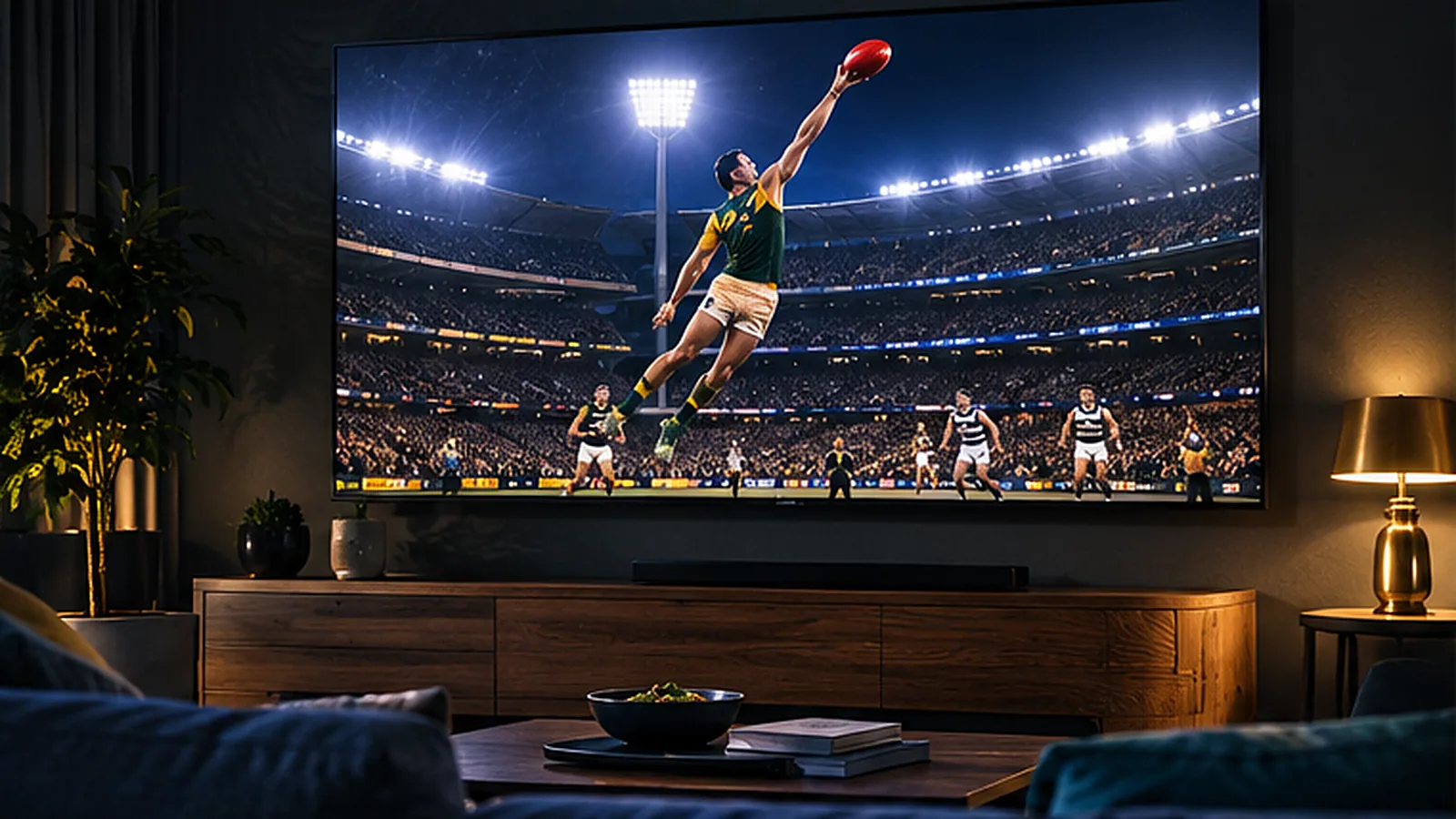
    From the first bounce in March to the last siren on Grand Final day, footy is the heartbeat of winter in much of Australia. For years that meant a pay TV subscription, a set-top box and a contract. Today a growing number of fans want to watch AFL without Foxtel – and IPTV is one of the simplest ways to do it. This guide explains how IPTV works for footy, what you need at home, how much it costs in AUD and how to get the smoothest picture on match night.

    Why So Many Fans Are Looking Beyond Pay TV

    Traditional pay TV was built for a world where one big box in the lounge room did everything. Footy fans today watch differently: on the big TV on Saturday night, on a phone at the pub, on a tablet in bed when the West Coast game finishes late. Many households also rent, move often or live in apartments where installing a dish or new cabling is not an option.

    At the same time, monthly bills keep growing once you add sport packs, HD and extra boxes. That is why more Australians are cutting the cord and choosing a streaming setup that runs over the NBN connection they already pay for.

    What Is IPTV and How Does It Show the Footy?

    IPTV stands for Internet Protocol Television. Instead of a satellite dish or a pay TV box, live channels reach your TV through your internet connection and play in an app. You sign in once and get live channels, a TV guide and an on-demand library in one place.

    With OzStream TV every plan includes 32,000+ live channels and 200,000+ movies and series, including Australian sport and news, so you can follow your club through the season. Because channel line-ups can change, we always suggest using the free 24-hour trial to check the matches and channels that matter to you before you pay.

    What You Need to Watch AFL With IPTV

    What you needWhy it mattersOur tip
    An IPTV subscriptionGives you live channels, a TV guide and catch-up style viewingStart with the free 24-hour trial
    A deviceSmart TV, Fire TV Stick, Android TV, Apple TV, phone or laptopA Fire TV Stick turns any TV with HDMI into a streaming TV
    A player appShows the channels and guideWe recommend the right app for your device
    Stable internetFooty is fast-moving, so a steady connection mattersNBN 25 for HD, NBN 50+ for 4K or several screens

    Choosing the Best Device for Match Day

    You do not need to buy an expensive new TV. Most fans already own something that works. Here is how the common options compare for footy:

    DeviceBest forGood to know
    Fire TV Stick 4KTurning an older TV into a footy machineCheap, fast and easy to set up – see our Firestick guide
    Samsung or LG Smart TVNo extra box on the TV unitMany recent models run a player app directly
    Android TV / Google TVSmooth menus and lots of appsGreat value boxes and built-in TVs
    Apple TVHouseholds already using iPhone and iPadPremium feel and very stable
    Phone or tabletWatching at the pub, in bed or on the trainUse 5G or Wi-Fi; HD looks great on smaller screens

    Still deciding? Our guide to the best IPTV devices in Australia goes into more detail.

    How Much Internet Speed Do You Need for Footy?

    Sport is the toughest test for any stream because the picture changes constantly. The good news is that most NBN plans handle it comfortably. As a rule of thumb, allow around 25 Mbps for one HD stream and 50 Mbps or more if you want 4K or several screens going at once – for example, the footy in the lounge while the kids watch something else.

    NBN planWhat it handles comfortably
    NBN 25One HD stream
    NBN 50HD on two screens or one 4K stream
    NBN 100Several screens including 4K
    Fixed wireless / 5G home internetHD on one or two screens if the signal is steady

    For a deeper look, read our guide to NBN speed for IPTV.

    Six Tips for a Smooth Picture on Match Night

    1. Plug in with Ethernet if your TV or streaming stick has a port – it is the single biggest improvement you can make.
    2. Use 5 GHz Wi-Fi otherwise, and keep the modem in the same room as the TV if you can.
    3. Restart the modem and device before a big game, especially before a final.
    4. Close other heavy downloads such as game updates or cloud backups during the match.
    5. Test during peak time – Friday and Saturday nights are when your street is busiest.
    6. Drop from 4K to Full HD if the picture stutters; on most TVs the difference is small.

    What Does It Cost Compared With Pay TV?

    Pay TV pricing usually starts with a base package and grows once you add sport, HD and extra rooms. With OzStream TV you pay once for the length you choose and every plan includes the full line-up, so there is no separate footy add-on.

    OzStream TV planTotal (AUD)Per month
    3 months$50$16.67
    6 months – covers a full footy season$72$12.00
    12 months$100$8.33
    24 months$173$7.21

    Want a full side-by-side comparison? Read IPTV vs Foxtel vs Kayo.

    Watching Across Time Zones

    Footy fans in Perth and Adelaide know the feeling: an east coast game can start while you are still at work. Live channels play in real time, so plan around the bounce, and use the on-demand library for the shows you missed. If you live in Western Australia, our IPTV Perth page has more tips.

    Is It Legal to Watch AFL Over IPTV?

    IPTV is simply a way of delivering TV over the internet and the technology itself is legal. What matters is whether a service is licensed for the content it carries. We explain what to look for in our guide Is IPTV legal in Australia?

    Watch AFL Without Foxtel FAQ

    Can I watch AFL without a Foxtel subscription?

    Yes. Many fans now use streaming services and IPTV instead of pay TV. With IPTV you watch live channels in an app on your Smart TV, Fire TV Stick, phone or computer, using your existing internet connection.

    What internet speed do I need to watch the footy?

    NBN 25 is enough for one HD stream. For 4K or several screens at once, NBN 50 or faster is the better choice. A cable or 5 GHz Wi-Fi makes the biggest difference to stability.

    Can I watch on my phone at the pub or at the ground?

    Yes. Install the player app on your phone and sign in with the same login. HD looks great on a phone and uses much less data than 4K.

    Is there a free trial?

    Yes. You can test OzStream TV free for 24 hours with no card. Use it on a match night to check the picture on your own TV and NBN.

    How much does OzStream TV cost?

    Plans in AUD: $50 for 3 months, $72 for 6 months, $100 for 12 months ($8.33 a month) and $173 for 24 months ($7.21 a month), with a 7-day refund promise. See pricing.

    Get Ready for the Next Bounce

    You do not need a dish, an installer or a long contract to follow your team. Start with a free 24-hour trial, test it during a live game, then choose the plan that suits your season. Questions? Message us on WhatsApp and tell us which device you use – we will help you get set up before the first bounce.

  • NRL Streaming in Australia: How to Watch Rugby League With IPTV

    NRL Streaming in Australia: How to Watch Rugby League With IPTV

    Rugby league runs deep in New South Wales and Queensland, and every winter millions of fans plan their weekends around the NRL. Between club rounds, finals and State of Origin nights, there is a lot of footy to keep up with. This guide covers NRL streaming in Australia with IPTV: how it works, what you need, how to avoid buffering during the big hits, and what it costs in Australian dollars.

    How People Watch the NRL Today

    Some games are shown on free-to-air TV, while others need a subscription. Many fans end up juggling several apps, a pay TV box and a phone just to follow one team through the season. IPTV brings live channels, a TV guide and on-demand shows into a single app, on whatever screen you have handy.

    With OzStream TV every plan includes 32,000+ live channels – Australian sport and news among them – and 200,000+ movies and series. Line-ups can change, so we recommend testing the channels and matches you care about during the free 24-hour trial before you pay.

    What You Need for NRL Streaming

    ItemDetails
    IPTV planPlans from $50 for 3 months in AUD – see pricing
    DeviceSmart TV, Fire TV Stick, Android TV, Apple TV, phone, tablet or computer
    Player appWe recommend the right one for your device
    InternetNBN 25 for HD, NBN 50+ for 4K or multiple screens

    Getting Ready for State of Origin

    Origin nights are the busiest of the year for home internet in New South Wales and Queensland. Everyone is streaming at the same time, so it pays to prepare a little:

    • Test your setup on a normal Wednesday night a week before the game.
    • Plug your TV or streaming stick into the modem with an Ethernet cable if possible.
    • Restart the modem in the afternoon on game day.
    • Ask the family to pause big downloads and game updates during the match.
    • Have a phone or tablet signed in as a backup screen.

    Best Devices for Watching League

    Rugby league is fast and physical, so a smooth, stable stream matters more than an ultra-sharp one. Here is our quick take:

    DeviceWhy fans like it
    Fire TV Stick 4KAffordable, quick menus, fits any HDMI TV – see the Firestick setup guide
    Android TV / Google TVSmooth playback and lots of player apps
    Samsung and LG Smart TVsNo extra box needed on many models
    Apple TVVery stable, great for iPhone households
    Phone or tabletPerfect for the barbecue or the commute

    More options in our best IPTV devices guide.

    Avoiding Buffering on Game Night

    If the picture freezes at the worst moment, the cause is almost always inside the home rather than the stream itself. Work through these checks:

    ProblemLikely causeFix
    Picture freezes every few minutesWeak Wi-Fi to the TVUse Ethernet or move the modem closer
    Fine in the afternoon, bad at nightBusy home network or NBN congestionLower quality to Full HD, pause other downloads
    Only one TV has problemsOld device or full app cacheClear the app cache, restart, update the app
    Sound out of syncTV processing settingsRestart the app or switch the channel off and on

    Our NBN speed guide explains how much bandwidth you really need.

    Finals Season and the Grand Final

    September is when every stream gets tested. Crowds watch at home, at the pub and at backyard parties, and the whole country seems to be online at the same moment. If you plan to host a Grand Final night, set up the TV a day early, sign in on a second screen as a backup and keep the modem cool and uncluttered. A stable Full HD picture is far better than a 4K stream that keeps pausing.

    It is also worth checking where your devices sit. A streaming stick hidden behind a wall-mounted TV can struggle to reach the Wi-Fi. An HDMI extension cable or a small Ethernet adapter often solves the problem for a few dollars.

    Setting Up a Game-Night Lounge

    • One main screen connected by cable for the live game.
    • A tablet or phone for the other match or for the kids.
    • Favourites list in the app with your league, news and replay channels.
    • Sound through a soundbar for the crowd atmosphere.
    • WhatsApp support saved on your phone in case you need quick help.

    Once it is set up, a game night takes seconds: switch on the TV, open the app and pick the channel from your Favourites.

    Following Your Club Across the Country

    Whether you barrack for a Brisbane side, a Sydney club or a team from regional New South Wales, IPTV works anywhere you have a stable connection – at home, at a holiday house or in a caravan park with good 5G. Living in South East Queensland? See IPTV Brisbane. In Sydney? See IPTV Sydney.

    What It Costs

    PlanTotal (AUD)Per monthGood for
    3 months$50$16.67Trying it for part of the season
    6 months$72$12.00The whole NRL season
    12 months$100$8.33League in winter, cricket in summer
    24 months$173$7.21Two full seasons, lowest price

    Every plan includes the full line-up, so there is no separate sport pack. Compare it with pay TV in our IPTV vs Foxtel vs Kayo article.

    NRL Streaming FAQ

    Can I stream the NRL without pay TV?

    Yes. Many fans watch with streaming services or IPTV instead of a pay TV box. IPTV runs in an app on your TV, Fire TV Stick, phone or computer over your normal internet.

    Will State of Origin buffer?

    Origin nights are busy for every network. Using Ethernet, restarting your modem beforehand and pausing other downloads makes a big difference. Test your setup during the free trial first.

    Can I watch on more than one TV?

    Yes, you can install the app on the screens you use. Ask us how many devices can stream at the same time on your plan.

    Do I need a new TV?

    No. A Fire TV Stick or Android TV box turns almost any TV with an HDMI port into a streaming TV.

    How much does it cost?

    Plans in AUD: $50 for 3 months, $72 for 6 months, $100 for 12 months ($8.33 a month) and $173 for 24 months ($7.21 a month), with a 7-day refund promise. See pricing.

    Kick Off With a Free Trial

    Test OzStream TV during a real game before you commit. Grab the free 24-hour trial or message us on WhatsApp with your device, and we will have you ready before kick-off.

  • NBN Speed for IPTV: How Fast Does Your Internet Really Need to Be?

    NBN Speed for IPTV: How Fast Does Your Internet Really Need to Be?

    The most common question we get from new customers is simple: is my NBN fast enough for IPTV? In most homes the answer is yes. But the speed on your bill is only part of the story – Wi-Fi, the time of day and the number of people online all affect how smooth the picture looks. This guide explains what you really need, in plain English.

    How IPTV Uses Your Internet

    IPTV streams video to an app on your TV, Fire TV Stick, phone or computer. The app keeps a small buffer of video ready, so short dips in speed do not matter. What causes freezing is a connection that drops too low for too long – usually because of weak Wi-Fi or a busy home network, not the NBN plan itself.

    Recommended Speeds by Picture Quality

    Picture qualitySpeed per screenSuitable NBN tier
    SD (phone, small screens)About 5 MbpsAny NBN plan
    HD / Full HDAbout 10–15 MbpsNBN 25 or higher
    4KAbout 25 MbpsNBN 50 or higher
    Two HD screens at onceAbout 25–30 MbpsNBN 50
    Several screens including 4K50 Mbps+NBN 100 or higher

    These figures leave headroom for other people browsing, video calls and phones updating in the background.

    How Much Data Does IPTV Use?

    Most NBN plans are unlimited, but if you watch on a capped 5G or mobile plan it is worth knowing the numbers:

    QualityData per hour (approx.)A 3-hour footy match
    SD0.7 GBAbout 2 GB
    HD1.5–3 GB5–9 GB
    4K7 GB or more20 GB or more

    Which NBN Connection Do You Have?

    TechnologyWhat it means for IPTV
    FTTP (fibre to the premises)The best option – fast and stable, perfect for 4K
    HFC (cable)Very good for IPTV in most areas
    FTTC (fibre to the curb)Good; speeds depend on the copper lead-in
    FTTN (fibre to the node)Fine for HD; 4K depends on your distance from the node
    Fixed wirelessWorks well for HD when the signal is steady; test at peak time
    Satellite (Sky Muster)Possible for SD/HD but latency and data caps can be a challenge
    5G home internetOften fast; quality depends on signal strength indoors

    Wi-Fi: The Real Bottleneck in Most Homes

    In our experience, nine out of ten buffering complaints are caused by Wi-Fi, not the NBN. Brick walls, double-storey homes and modems hidden in cupboards all reduce the signal reaching the TV. Try these fixes in order:

    1. Use Ethernet – plug the TV or streaming box straight into the modem.
    2. Switch to 5 GHz Wi-Fi if the TV is in the same room or one room away from the modem.
    3. Move the modem out of the cupboard and up off the floor.
    4. Add a mesh system for larger homes, units with thick walls and high-set Queenslanders.
    5. Try powerline adapters when running a cable is not possible.

    Peak Time and Network Congestion

    Between 7 pm and 11 pm everyone in your street is streaming. Some providers handle this better than others. If your picture is fine in the afternoon but stutters at night, check your provider’s typical evening speed and consider lowering the stream from 4K to Full HD during busy times. The difference on most TVs is small.

    Upgrading Your NBN Plan: When Is It Worth It?

    Before paying more for a faster tier, fix the Wi-Fi first. A household on NBN 50 with a cable to the TV will usually get a smoother picture than a household on NBN 100 with a weak signal in the lounge room. Upgrade when several people regularly stream at the same time, when you want 4K on more than one TV, or when your evening speed tests consistently fall below 25 Mbps.

    If you are moving house, ask which NBN technology the new address uses. FTTP and HFC are ideal for IPTV, while some FTTN connections on long copper lines may only reach 20–40 Mbps. That is still plenty for HD, but it is worth knowing before you plan a 4K setup.

    Mobile Data and Travel

    IPTV also works on 4G and 5G. On a phone, HD looks sharp and uses far less data than 4K on a big TV. If you watch at a holiday house or in a caravan, check your data allowance and pick a lower quality setting in the app to make it last.

    Quick Checklist Before You Subscribe

    • Run a speed test on the TV itself in the evening, not just on your phone next to the modem.
    • Note the result: 15 Mbps+ for HD, 25 Mbps+ for 4K.
    • Start a free 24-hour trial and watch a live sport channel at peak time.
    • If it struggles, try Ethernet or 5 GHz Wi-Fi before changing NBN plans.

    Troubleshooting Buffering

    SymptomTry this
    Freezes every few minutesEthernet, 5 GHz Wi-Fi, restart the modem
    Only one channel freezesSwitch to another channel and back; tell support
    Everything is slow in the eveningLower the quality, pause other downloads
    App is slow to openClear the app cache and restart the device
    Problems on an old smart TVUse a Fire TV Stick instead – see our Firestick guide

    More device advice in best IPTV devices in Australia.

    NBN Speed for IPTV FAQ

    Is NBN 25 enough for IPTV?

    Yes, for one HD stream. If you want 4K or several screens at the same time, NBN 50 or faster is a better fit.

    Does IPTV work on fixed wireless or 5G home internet?

    Usually yes, as long as the signal is steady. Test during the evening peak with the free trial before you choose a plan.

    Why does my IPTV buffer at night?

    Evening congestion and Wi-Fi interference are the usual causes. Use Ethernet or 5 GHz Wi-Fi and drop to Full HD during busy hours.

    How much data does IPTV use?

    Roughly 1.5–3 GB per hour in HD and 7 GB or more per hour in 4K.

    How much does OzStream TV cost?

    Plans in AUD: $50 for 3 months, $72 for 6 months, $100 for 12 months ($8.33 a month) and $173 for 24 months ($7.21 a month), with a 7-day refund promise. See pricing.

    Test It on Your Own Connection

    The best way to know is to try it. Take the free 24-hour trial and watch at your busiest time of night. If anything stutters, message us on WhatsApp with your NBN type and device and we will help you fix it.

  • Is IPTV Legal in Australia? What to Know Before You Subscribe

    Is IPTV Legal in Australia? What to Know Before You Subscribe

    Is IPTV legal in Australia? It is one of the most searched questions about internet TV, and the honest answer is: the technology is legal, but not every service is. This guide explains the difference in plain English, so you can choose a provider with confidence. It is general information, not legal advice.

    IPTV Is a Technology, Not a Type of Content

    IPTV (Internet Protocol Television) simply means delivering TV over the internet instead of through a satellite dish, an antenna or a cable network. Many well-known services use IPTV technology, including telco TV products and the streaming apps of major broadcasters. Using IPTV technology is completely normal and legal.

    What Makes a Service Legal or Not?

    The key question is whether the content is properly licensed. Copyright in Australia is governed by the Copyright Act 1968. Broadcasters and sport bodies own or license the rights to their programmes, and services need permission to distribute them. Australian courts can also order internet providers to block websites whose main purpose is to infringe copyright.

    Warning Signs of a Risky Provider

    Warning signWhy it matters
    No terms of service or refund policyYou have no idea what you are agreeing to
    Prices that seem impossibly lowOften a sign of an unstable, short-lived service
    No way to contact a real personProblems will not get fixed
    Lifetime plans for a one-off feeServices offering “lifetime” access often disappear
    Asks for unusual payment onlyLimited consumer protection if something goes wrong
    No free trialYou cannot test before you pay

    What a Trustworthy Provider Looks Like

    • Clear terms of service, a privacy policy and a written refund policy.
    • Transparent prices in Australian dollars.
    • A free trial so you can test before paying.
    • Real support you can reach on WhatsApp or by email.
    • Normal payment options such as cards and PayPal.

    Your Rights as an Australian Consumer

    When you buy a service in Australia, the Australian Consumer Law gives you certain guarantees, for example that services are provided with due care and are fit for their purpose. A good provider explains its refund policy clearly and makes sure it does not limit those rights. OzStream TV’s 7-day refund promise is in addition to your rights under the Australian Consumer Law.

    Your Responsibilities as a Viewer

    As a viewer you are responsible for using any service in line with the laws that apply to you. Practical steps include reading the provider’s terms, using the service for personal viewing only, not sharing or reselling your login, and never re-broadcasting content in a pub, club or shop without the right licences.

    Pubs, Clubs and Businesses

    Personal IPTV plans are for private viewing at home. Showing TV to customers in a pub, club, café, gym or shop usually requires commercial licences from the rights holders. If you run a business and want TV for customers, speak to the broadcasters or a licensed commercial provider.

    Free “Lifetime” Boxes and Apps

    Be careful with devices advertised with free channels for life, especially when sold at markets or through social media ads, or apps from unknown websites. They often stop working without warning, can contain malware and give you no one to contact when something goes wrong. A clear monthly or yearly price with a refund policy is a much safer sign.

    If an offer looks too good to be true, it usually is. Paying a fair price for a service with real support protects both your money and your devices.

    Do You Need a VPN?

    No VPN is needed to use OzStream TV. Some people use a VPN for general privacy, which is their own choice. If you notice buffering while a VPN is switched on, turn it off and try again – VPNs often slow streams down.

    Questions to Ask Any Provider

    QuestionA good answer looks like
    Can I try it first?Yes, a free trial with no card
    What happens if it doesn’t work?A written refund policy
    How do I pay?Familiar options with consumer protection
    Does it auto-renew?Clear information; OzStream TV never auto-renews
    How do I get help?A real person on WhatsApp or email

    How OzStream TV Approaches It

    We publish our terms, privacy policy and refund policy, show prices in AUD, offer a free 24-hour trial with no card, and answer questions personally. Our plans are for private, personal use in your household. If you are unsure about anything, ask us before you buy.

    IPTV and Your Privacy

    A trustworthy provider only collects what it needs to set up your service and help you, and explains this in a privacy policy. OzStream TV does not use advertising trackers on its website and does not sell personal information. Australians have rights under the Privacy Act 1988, including the right to ask what information a business holds about them.

    Good habits help too: use a unique password for your player app if it asks for one, keep your login private and only install apps from sources your provider recommends.

    Is IPTV Legal in Australia FAQ

    Is IPTV legal in Australia?

    IPTV technology is legal and widely used. Whether a particular service is legal depends on whether its content is properly licensed. Choose a provider with clear terms, real support and normal payment options.

    Can I get in trouble for using IPTV?

    Use services for personal viewing, read their terms and avoid providers with obvious warning signs. This article is general information, not legal advice.

    Why are some websites blocked in Australia?

    Australian courts can order internet providers to block websites whose main purpose is copyright infringement.

    Do I need a VPN for OzStream TV?

    No. A VPN is not required, and turning it off often improves streaming quality.

    How much does OzStream TV cost?

    Plans in AUD: $50 for 3 months, $72 for 6 months, $100 for 12 months ($8.33 a month) and $173 for 24 months ($7.21 a month), with a 7-day refund promise. See pricing.

    Ask Us Anything

    If you have questions before subscribing, message us on WhatsApp or start with the free 24-hour trial. We are happy to explain how the service works.

  • IPTV vs Foxtel vs Kayo: An Honest Comparison for Australians

    IPTV vs Foxtel vs Kayo: An Honest Comparison for Australians

    If you are weighing up IPTV vs Foxtel vs Kayo, you are not alone. Australian households have more ways to watch TV than ever, and the right choice depends on what you watch, how many screens you use and how much you want to spend. This comparison looks at how each option works – without hype – so you can decide what fits your home.

    The Three Options in a Nutshell

    Traditional pay TVSports streaming appIPTV (OzStream TV)
    How it is deliveredSet-top box via satellite, cable or internetApp over the internetApp over the internet
    EquipmentUsually a provider boxYour own devicesYour own devices
    ContractOften a minimum termUsually monthlyPay once for 3, 6, 12 or 24 months, no auto-renewal
    Content focusEntertainment, sport, movies in packsMainly sportLive channels, sport, news, movies and series, international channels
    International channelsLimited, often extraRarelyIncluded
    Free trialVariesVaries24 hours, no card

    Prices and packages for pay TV and streaming apps change often, so always check their current offers directly before comparing.

    How Pricing Works

    Traditional pay TV usually starts with a base package and adds cost for sport, movies, HD and extra rooms. Sports streaming apps charge monthly and focus mainly on sport. With OzStream TV you choose the length of your plan and pay once – every plan includes the full line-up:

    OzStream TV planTotal (AUD)Per month
    3 months$50$16.67
    6 months$72$12.00
    12 months$100$8.33
    24 months$173$7.21

    There is no sport add-on, no box rental and no automatic renewal.

    Sport Coverage

    Sport is the main reason most Australians pay for TV. Pay TV and dedicated sports apps hold rights to many competitions. IPTV services offer live sport channels as part of a broad line-up – OzStream TV includes 32,000+ live channels, among them Australian and international sport. Because every service’s line-up differs and can change, the only reliable test is to check the competitions you care about. That is why we offer a free 24-hour trial. See our guides to AFL, NRL and cricket.

    Movies, Series and Family Viewing

    Pay TV packages include entertainment and movie channels, and many households add one or two streaming services on top. OzStream TV combines live channels with an on-demand library of 200,000+ movies and series in the same app, which can reduce the number of separate subscriptions you juggle.

    International and Multicultural Channels

    This is where IPTV stands out for many Australian families. Channels in Hindi, Mandarin, Cantonese, Arabic, Greek, Italian, Vietnamese, Tagalog and many other languages are part of the standard line-up rather than an expensive extra. Read more in our guide to international channels in Australia.

    Equipment and Installation

    Pay TVStreaming appIPTV
    Installer visitSometimesNoNo
    Dish or cablingSometimesNoNo
    Works on Fire TV StickVariesUsuallyYes
    Works on Smart TVsVariesUsuallyYes, most Samsung, LG and Android models
    Works on phonesWith an appYesYes

    Reliability

    All internet-based TV depends on your connection. Pay TV via satellite is less affected by home internet but can drop out in heavy rain. For IPTV and streaming apps, a stable NBN connection and good Wi-Fi are what matter most – see our NBN speed guide. OzStream TV runs on servers with 99.9% uptime and offers WhatsApp support seven days a week.

    Questions to Ask Before You Switch

    • Which sports and competitions do you actually watch every week?
    • How many TVs and phones need access at the same time?
    • Do family members want channels in another language?
    • Are you on a contract with an exit fee, and when does it end?
    • How reliable is your NBN connection in the evening?

    Writing down the answers makes it much easier to compare like with like. Many families discover they only use a small part of a large pay TV package, while others realise international channels matter more than they thought.

    The Cost of Keeping Several Subscriptions

    It is easy to end up paying for pay TV, a sports app and two or three movie streaming services at once. Each one looks affordable on its own, but together they can cost far more than a single IPTV plan. Add up what you pay each month across every service – including box rental and HD fees – and compare it with $8.33 a month on the OzStream TV 12-month plan.

    Which One Should You Choose?

    • Choose pay TV if you want a traditional box-based setup and a specific package from one provider.
    • Choose a sports streaming app if you only watch one or two sports and nothing else.
    • Choose IPTV if you want live sport, news, movies, series and international channels together in one app, on your own devices, with no lock-in contract.

    Many households also cut the cord completely – our cut the cord guide shows how.

    IPTV vs Foxtel vs Kayo FAQ

    Is IPTV cheaper than Foxtel?

    For many households, yes, because there is no box rental and no separate sport or HD packs. OzStream TV costs from $7.21 a month on the 24-month plan. Compare against the current pay TV packages you would actually need.

    Does IPTV have the same sport as Kayo?

    Line-ups differ between services. OzStream TV includes Australian and international sport channels; use the free trial to check the competitions you follow.

    Do I need a box for IPTV?

    No. IPTV works on Smart TVs, Fire TV Sticks, Android TV, Apple TV, phones and computers you already own.

    Is there a contract?

    No. You pay once for the plan length you choose and it does not renew automatically.

    How much does OzStream TV cost?

    Plans in AUD: $50 for 3 months, $72 for 6 months, $100 for 12 months ($8.33 a month) and $173 for 24 months ($7.21 a month), with a 7-day refund promise. See pricing.

    Try Before You Switch

    The easiest way to compare is to watch side by side. Start the free 24-hour trial while you still have your current service, or message us on WhatsApp with what you watch now and we will tell you honestly whether OzStream TV suits you.

  • IPTV on Firestick in Australia: Step-by-Step Setup Guide

    IPTV on Firestick in Australia: Step-by-Step Setup Guide

    The Amazon Fire TV Stick is the most popular way to watch IPTV in Australia. It is cheap, plugs into any TV with an HDMI port and turns even an older telly into a smart streaming TV. This guide shows you how to set up IPTV on a Firestick in Australia in about ten minutes, with no technical knowledge needed.

    Which Fire TV Stick Should You Buy?

    ModelBest forOur view
    Fire TV Stick (standard)HD TVs, bedrooms, small budgetsFine for HD streaming
    Fire TV Stick 4KMost homes with a 4K TVOur top pick – fast and good value
    Fire TV Stick 4K MaxLarge 4K TVs, Wi-Fi 6 routersThe quickest menus and best Wi-Fi
    Fire TV CubeHome theatre setupsPowerful, with an Ethernet port built in

    Any current model works with OzStream TV. If you use Wi-Fi, a model with Wi-Fi 6 or an Ethernet adapter gives the most stable picture.

    Before You Start

    • Your Fire TV Stick plugged in and connected to Wi-Fi or Ethernet.
    • An Amazon account signed in on the stick.
    • Your OzStream TV login from the welcome message – or a free 24-hour trial.
    • About ten minutes.

    Step 1: Update Your Fire TV Stick

    Go to Settings → My Fire TV → About → Check for Updates and install anything available. An up-to-date stick runs player apps more smoothly.

    Step 2: Find the Player App

    Go to Find → Search and type the name of the player app we recommended in your welcome message. If it is in the Amazon Appstore, select it and choose Get or Download.

    Step 3: If the App Is Not in the Appstore

    Some player apps are installed with the free Downloader app instead:

    1. Search for Downloader in the Appstore and install it.
    2. Open Settings → My Fire TV → Developer Options.
    3. Turn on Install unknown apps for Downloader (on older models, Apps from Unknown Sources).
    4. Open Downloader and type the download code from your welcome message.
    5. Install the app, then choose Done.

    Tip: if you cannot see Developer Options, go to Settings → My Fire TV → About and click on the device name seven times to unlock it.

    Step 4: Sign In

    Open the player app and choose Xtream Codes (or Login with Xtream API). Enter the username, password and server URL from your welcome message exactly as written – they are case-sensitive. Some apps use an M3U playlist link instead; we will tell you which one to use.

    Step 5: Load Channels and the TV Guide

    The first load can take a minute while the channel list and TV guide (EPG) download. Then open the guide, find your favourite channels and add them to Favourites for quick access on match night.

    Common Problems and Quick Fixes

    ProblemFix
    Login failedCheck for spaces and capital letters in the username and password
    TV guide is emptyUpdate the EPG in the app settings or wait a few minutes
    BufferingUse 5 GHz Wi-Fi or an Ethernet adapter – see our NBN speed guide
    App is slowSettings → Applications → Manage Installed Applications → clear cache
    Stick gets hotUse the HDMI extender so it is not pressed against the TV
    No soundCheck the TV input and the Fire TV audio settings (try Stereo)

    Tips for the Best Picture

    • An Ethernet adapter for the Fire TV Stick costs very little and makes streams far more stable.
    • Restart the stick once a week: hold Select + Play for five seconds.
    • Turn off Data Monitoring in Settings → Preferences so quality is not limited.
    • Keep the player app updated.
    • Uninstall apps you never use to free up storage.

    Using the Fire TV Remote Like a Pro

    • Long-press Home to open quick settings, sleep mode and apps.
    • Hold Select + Play for five seconds to restart the stick.
    • Use the voice button to search for the player app by name.
    • Long-press the app icon to move your player app to the front row.

    Moving the player app to the first row of the home screen means you can open your channels with two clicks – handy when the game is about to start.

    Keeping Your Firestick Running Smoothly

    Fire TV Sticks have limited storage. Over months, app caches and unused apps slow them down. Once a month, clear the cache of your player app, uninstall apps you no longer use and check for system updates. If the stick still feels slow after a couple of years, a newer 4K or 4K Max model is an affordable upgrade.

    Using More Than One Fire TV Stick

    Many households put a Fire TV Stick on the lounge TV and another in the bedroom. Install the player app on each one and sign in with your details. Ask us how many devices can stream at the same time on your plan.

    Prefer a different device? See our guide to the best IPTV devices in Australia or the full setup guide.

    IPTV on Firestick FAQ

    Is it hard to install IPTV on a Firestick?

    No. Most people finish in about ten minutes by following the steps above, and we can guide you on WhatsApp if you get stuck.

    Which Fire TV Stick is best for IPTV?

    The Fire TV Stick 4K is the best value for most homes. The 4K Max is quicker and has better Wi-Fi for large 4K TVs.

    Can I use an Ethernet cable with a Firestick?

    Yes, with an inexpensive Ethernet adapter. It is the best way to stop buffering.

    Do I need a VPN?

    No VPN is needed to use OzStream TV. If you already use one and notice buffering, try turning it off.

    How much does OzStream TV cost?

    Plans in AUD: $50 for 3 months, $72 for 6 months, $100 for 12 months ($8.33 a month) and $173 for 24 months ($7.21 a month), with a 7-day refund promise. See pricing.

    Need a Hand?

    Start with the free 24-hour trial and set it up on your Firestick tonight. If anything does not look right, message us on WhatsApp with a photo of your screen and we will walk you through it.

  • International Channels in Australia: Watch TV From Home With IPTV

    International Channels in Australia: Watch TV From Home With IPTV

    Nearly half of all Australians were born overseas or have a parent who was. For millions of families, watching TV in their own language is a way to stay close to home – the news, the dramas, the cooking shows and, of course, the sport. This guide explains how to watch international channels in Australia with IPTV, community by community.

    Why IPTV Is Popular With Multicultural Families

    • International channels are part of the standard line-up, not an expensive extra pack.
    • One app holds both Australian and overseas channels.
    • Every family member can watch on their own screen.
    • No satellite dish pointed at a foreign satellite is needed.

    OzStream TV includes 32,000+ live channels and 200,000+ movies and series on every plan. Because channel line-ups can change, we always suggest checking your favourite channels during the free 24-hour trial.

    Channels by Community

    CommunityWhat families usually look for
    IndianHindi, Punjabi, Tamil, Telugu and Malayalam entertainment, news, cricket
    ChineseMandarin and Cantonese news, dramas and variety shows
    ArabicNews, series, religious programming and football from across the Arab world
    GreekNews, talk shows and football from Greece and Cyprus
    ItalianNews, Serie A football and Italian series
    VietnameseNews, music, comedy and dramas
    FilipinoTagalog news, teleseryes and variety shows
    British and IrishNews, soaps and Premier League football
    South AfricanNews, rugby and cricket

    Indian Channels in Australia

    Australia’s Indian community is one of the fastest growing in the country, from Harris Park in Sydney to Melbourne’s western suburbs. Families typically want Hindi entertainment for the evening, regional channels in their own language for grandparents, and of course cricket. With IPTV all of this sits in one app on the lounge TV.

    Chinese Channels in Australia

    Mandarin and Cantonese speakers in Sydney, Melbourne and Brisbane often want news from home alongside popular dramas and variety shows. A player app with a clear TV guide makes it easy to find programmes and set favourites for each family member.

    Arabic Channels in Australia

    Arabic-speaking families, many in western Sydney and northern Melbourne, look for news, series, religious programming during Ramadan and football. IPTV makes it simple to switch between Arabic and Australian channels without changing devices.

    Greek and Italian Channels

    Melbourne has one of the largest Greek communities outside Greece, and Italian Australians are spread across every capital city. Football, news and talk shows from Europe are big favourites. Because of the time difference, many matches air in the early hours, so the on-demand library and catch-up style viewing help a lot.

    Vietnamese and Filipino Channels

    From Cabramatta to Footscray, Vietnamese families enjoy news, music and comedy from home, while Filipino Australians follow teleseryes and variety shows. With one login, parents and grandparents can watch their channels on the main TV while kids watch on a tablet.

    Sport From Around the World

    International channels are not just about news and dramas. Many families follow football from Europe, cricket from the subcontinent, rugby from South Africa and basketball from the Philippines. With live sport channels from many countries in one line-up, the whole household can follow the teams they grew up with – even when matches air in the middle of the Australian night.

    Keeping Children Connected to Their Language

    Many parents tell us the biggest benefit is for their children. Cartoons and kids shows in the family language help children keep up their mother tongue while they grow up in Australia. Set up a separate Favourites list on the kids’ tablet with only their channels, so they can find them easily and safely.

    Grandparents visiting from overseas also feel more at home when they can switch on their usual news and series. Install the app on a spare tablet for them so the main TV stays free, and show them how to open their Favourites list with one click.

    Festivals are another highlight: Diwali, Lunar New Year, Eid, Greek Easter and Christmas specials from home bring the whole family together in front of the TV.

    Time Zones and Overseas Programmes

    RegionDifference from Sydney (approx.)Tip
    India−4.5 to −5.5 hEvening shows in India air in your late evening
    China, Philippines−2 to −3 hWatch most shows live
    Middle East−7 to −8 hMorning in Australia is evening there
    Greece, Italy−8 to −10 hFootball often airs overnight
    UK−10 to −11 hPremier League kicks off late at night

    Setting Up for the Whole Family

    • Create a Favourites list for each language so everyone finds their channels quickly.
    • Install the app on the main TV and on tablets for grandparents and kids.
    • Use the TV guide time setting so programme times match Australian time.
    • Ask us on WhatsApp if you need help finding a specific channel.

    New to IPTV? Our setup guide and Firestick guide cover every device.

    What It Costs

    PlanTotal (AUD)Per month
    3 months$50$16.67
    6 months$72$12.00
    12 months$100$8.33
    24 months$173$7.21

    International channels are included in every plan – there are no language packs to add.

    International Channels FAQ

    Can I watch Indian channels in Australia with IPTV?

    Yes. Indian channels in Hindi and several regional languages are part of the line-up. Check your favourites during the free trial.

    Are international channels included in every plan?

    Yes. All OzStream TV plans include the full channel line-up, including international channels.

    Can my parents watch on a tablet?

    Yes. Install the app on any tablet or phone and sign in with the same login.

    Do I need a satellite dish for overseas channels?

    No. IPTV works over your normal NBN or 5G internet connection.

    How much does OzStream TV cost?

    Plans in AUD: $50 for 3 months, $72 for 6 months, $100 for 12 months ($8.33 a month) and $173 for 24 months ($7.21 a month), with a 7-day refund promise. See pricing.

    Bring Home a Little Closer

    Check your favourite channels with the free 24-hour trial, or message us on WhatsApp and tell us which language you watch – we will help you find the channels.

  • Cut the Cord in Australia: How to Ditch Pay TV and Save in 2026

    Cut the Cord in Australia: How to Ditch Pay TV and Save in 2026

    Cutting the cord means cancelling traditional pay TV and watching everything over the internet instead. For many Australian households it is the easiest way to lower the monthly bills without giving up live sport, news or movies. This guide walks you through how to cut the cord in Australia in 2026, step by step.

    Why Australians Are Cutting the Cord

    • Rising bills – base packages, sport add-ons, HD fees and extra boxes add up quickly.
    • Contracts – many people dislike being locked in for a year or more.
    • Renting and moving – no dish, no installer and nothing to return when you move.
    • More screens – families watch on phones, tablets and laptops as much as on the TV.
    • International channels – multicultural households want channels from home without paying extra.

    What You Will Need

    ItemWhyCost
    NBN or 5G home internetEverything runs over the internetYour existing plan is usually enough
    A streaming deviceSmart TV, Fire TV Stick, Android TV or Apple TVOften already in the house
    Free-to-air TVLocal channels with an antenna or the broadcasters’ free appsFree
    IPTV subscriptionLive sport, news, movies, series and international channels in one appFrom $7.21/month with OzStream TV

    Step 1: List What You Actually Watch

    Write down every show, sport and channel your household watched last month. Most families find the list is shorter than they expected: a couple of sports, the news, some movies and a few series. That list tells you exactly what your new setup needs to cover.

    Step 2: Check Your Internet

    Run a speed test on the TV in the evening. About 15 Mbps per HD screen and 25 Mbps for 4K is a good guide. If the result is low, try Ethernet or 5 GHz Wi-Fi before upgrading your plan. Our NBN speed guide explains more.

    Step 3: Choose Your Devices

    A Fire TV Stick 4K is the most affordable way to upgrade an older TV. Recent Samsung, LG and Android TVs can often run a player app directly. Compare options in our best IPTV devices guide, or follow our Firestick setup guide.

    Step 4: Test Before You Cancel

    Do not cancel your old service until you are happy with the new one. Start a free 24-hour trial with OzStream TV and watch a live game, the news and a movie at peak time. Check your contract for exit fees and note the date it ends.

    Step 5: Cancel and Return Equipment

    Once you are confident, contact your pay TV provider to cancel, ask about any final charges and return the box if required. Keep the cancellation reference number.

    How Much Can You Save?

    Savings depend on your current package. Here is a simple way to work it out: add up everything you pay each month for pay TV, sport apps and box rental, then compare it with an all-in-one IPTV plan.

    OzStream TV planTotal (AUD)Per monthPer year
    3 months$50$16.67–
    6 months$72$12.00–
    12 months$100$8.33$100
    24 months$173$7.21$86.50

    Every plan includes 32,000+ live channels and 200,000+ movies and series, with no box to rent and no automatic renewal.

    Keeping Live Sport After You Cut the Cord

    Sport is the biggest worry for most cord-cutters. Our guides show how to follow AFL without Foxtel, NRL streaming and cricket over IPTV.

    What About Free-to-Air and Catch-Up?

    Cutting the cord does not mean losing local channels. A TV antenna still picks up free-to-air broadcasts, and the broadcasters’ own apps offer catch-up for many local shows. IPTV then fills the gaps: live sport, movies, series, kids channels and international TV in a single app. Most households end up with a simple mix of antenna for local channels plus one IPTV plan for everything else.

    A Simple Cord-Cutting Setup

    RoomDeviceWhat it is used for
    LoungeFire TV Stick 4K on EthernetLive sport and movies
    BedroomFire TV Stick or Smart TV appSeries and news
    Kids’ room or kitchenTabletCartoons and cooking shows
    On the goPhoneScores and highlights

    Once everything runs smoothly for a week, cancel the old service with confidence and enjoy the savings.

    Common Cord-Cutting Mistakes

    • Cancelling before testing the new setup at peak time.
    • Relying on weak Wi-Fi in the lounge room.
    • Buying an expensive new TV when a $60–$100 streaming stick would do.
    • Paying for several overlapping streaming apps at once.
    • Forgetting to return the old pay TV box.

    Cord Cutting for Families

    Families often worry that dropping pay TV means fighting over one screen. In practice the opposite happens: with IPTV the kids can watch cartoons on a tablet while the footy is on in the lounge and someone else catches up on a series in bed. Set up a Favourites list for each person, and you have a tidy, personal TV guide on every device.

    Grandparents and relatives from overseas also benefit. Channels in their own language are just a few clicks away – see our guide to international channels in Australia.

    Cut the Cord FAQ

    Can I keep watching live sport after cutting the cord?

    Yes. IPTV includes live sport channels alongside news, movies and series. Test the competitions you follow during the free trial.

    Do I need a new TV?

    Usually not. A Fire TV Stick or Android TV box turns almost any TV with an HDMI port into a streaming TV.

    Will I still get free-to-air channels?

    Yes. Keep your antenna for local channels, and use IPTV for everything else.

    Is there a contract with OzStream TV?

    No. You pay once for 3, 6, 12 or 24 months and plans never renew automatically.

    How much does OzStream TV cost?

    Plans in AUD: $50 for 3 months, $72 for 6 months, $100 for 12 months ($8.33 a month) and $173 for 24 months ($7.21 a month), with a 7-day refund promise. See pricing.

    Ready to Cut the Cord?

    Test everything before you cancel. Start the free 24-hour trial or message us on WhatsApp with what you watch now – we will help you plan the switch.

  • Best IPTV Devices in Australia: Firestick, Smart TV, Apple TV or Android Box?

    Best IPTV Devices in Australia: Firestick, Smart TV, Apple TV or Android Box?

    The right device makes IPTV fast, smooth and easy to use. The wrong one can mean slow menus and buffering, even on a fast NBN connection. This guide compares the best IPTV devices in Australia in 2026 so you can pick the one that suits your TV, your budget and your household.

    Quick Comparison

    DevicePrice range (approx.)Ease of setupBest for
    Fire TV Stick 4K / 4K MaxLowVery easyMost homes – best all-rounder
    Android TV / Google TV boxLow to midEasyLots of app choice, smooth playback
    Samsung / LG Smart TVAlready ownedEasy to mediumNo extra box on the TV unit
    Apple TV 4KHigherEasyiPhone households, premium feel
    MAG boxMidEasy once set upA simple remote-and-go experience
    Phone / tabletAlready ownedVery easyWatching anywhere
    Windows / Mac computerAlready ownedEasyWatching at a desk

    Amazon Fire TV Stick

    The Fire TV Stick is the most popular IPTV device in Australia for good reason: it is affordable, quick and works with any TV that has an HDMI port. The 4K model is our top pick for most homes, and the 4K Max adds faster menus and better Wi-Fi. Follow our step-by-step Firestick guide to get started.

    Android TV and Google TV

    Many TVs from Sony, TCL and Hisense run Google TV, and there are plenty of affordable Android TV boxes. They support a wide range of player apps through the Google Play Store and usually offer smooth playback with a clear TV guide.

    Samsung and LG Smart TVs

    Recent Samsung (Tizen) and LG (webOS) TVs can run IPTV player apps directly, so there is no extra box. Setup can involve sending us the app’s device ID or MAC address. On older models, apps can be slow – a Fire TV Stick plugged into the same TV is often the quicker option.

    Apple TV 4K

    If your household already uses iPhones and iPads, Apple TV 4K is a premium, very stable choice with an Ethernet port on most models. Install the recommended player from the App Store and sign in with your details. You can also AirPlay from an iPhone to the TV.

    MAG Boxes

    MAG boxes are dedicated IPTV set-top boxes. They are simple to use once set up: you send us the MAC address on the sticker underneath, we link your portal, and the box works like a traditional TV box with a remote. Great for less tech-savvy family members.

    Phones, Tablets and Computers

    Every plan works on iPhone, iPad, Android phones and tablets, and Windows or Mac computers. They are perfect for watching in bed, at the pub or while travelling. For computers, a desktop player app usually gives the best experience.

    What to Look For When Buying

    • Ethernet port or adapter – the most stable connection for live sport.
    • Wi-Fi 6 – better streaming if you cannot run a cable.
    • At least 2 GB of RAM – keeps menus and the TV guide quick.
    • 4K and HDR support – if you own a 4K TV.
    • Enough storage – player apps and their guides need some space.

    Our Recommendations by Household

    HouseholdOur pick
    Budget-friendly, any TVFire TV Stick 4K
    Large 4K TV, fast NBNFire TV Stick 4K Max or Apple TV 4K
    iPhone familyApple TV 4K
    GrandparentsMAG box or Fire TV Stick with Favourites set up
    Renters who move oftenFire TV Stick – easy to take with you
    Multiple roomsOne Fire TV Stick per TV

    Setting Up the Device for the Best Picture

    Whichever device you choose, the setup matters as much as the hardware. Connect it with Ethernet if possible, keep it out of a closed cabinet so it does not overheat, update the system software and the player app, and add your favourite channels so you can find them quickly. Our NBN speed guide explains how much bandwidth each screen needs.

    One Device or Several?

    Most households start with one device on the main TV and add more over time. A second Fire TV Stick for the bedroom, a tablet for the kitchen and phones for everyone else is a common setup. Install the player app on each device and sign in with the same details, then ask us how many screens can stream at the same time on your plan.

    If you move house often, small devices like a Fire TV Stick are easy to pack and set up again in minutes at the new place.

    Devices to Avoid

    • Very old Android boxes that no longer receive updates.
    • No-name boxes sold with “free channels for life” – these often stop working.
    • Smart TVs older than about six years, which may not run current player apps.
    • Any device that only connects over 2.4 GHz Wi-Fi in a busy apartment building.

    If your TV is older, a streaming stick is almost always the cheapest fix.

    Best IPTV Devices FAQ

    What is the best device for IPTV in Australia?

    For most homes, the Fire TV Stick 4K offers the best mix of price, speed and simplicity. Apple TV 4K is the premium choice for iPhone households.

    Can I use IPTV on my Samsung or LG TV without a box?

    Yes, most recent models can run a player app directly. On older models a Fire TV Stick is usually quicker.

    Do I need 4K?

    Not necessarily. Full HD looks great on most TVs and needs less bandwidth. Choose 4K if you have a 4K TV and NBN 50 or faster.

    Can I use the same login on several devices?

    Yes, you can install the app on the devices you use. Ask us how many can stream at the same time on your plan.

    How much does OzStream TV cost?

    Plans in AUD: $50 for 3 months, $72 for 6 months, $100 for 12 months ($8.33 a month) and $173 for 24 months ($7.21 a month), with a 7-day refund promise. See pricing.

    Not Sure Which Device to Use?

    Tell us what TV and devices you already have. Message us on WhatsApp and we will recommend the simplest setup, or start right away with the free 24-hour trial.